Documents
Thea builds timelines from the documents in a project. Add the case file once; every analysis in the project can use it.
Add documents
Section titled “Add documents”- Open the project and expand Documents.
- Drop files on Upload documents, or click it to browse. You can add several at once; later, the drop area reads Add more documents.
Thea accepts PDF (including scans), Word, PowerPoint, Excel, text, Markdown, CSV, HTML, JSON, email (.eml) and images (PNG, JPG, WebP, GIF), up to 50 MB per file.
No file? Click Or paste text directly → to paste text, such as an email thread, as a document.
While Thea reads
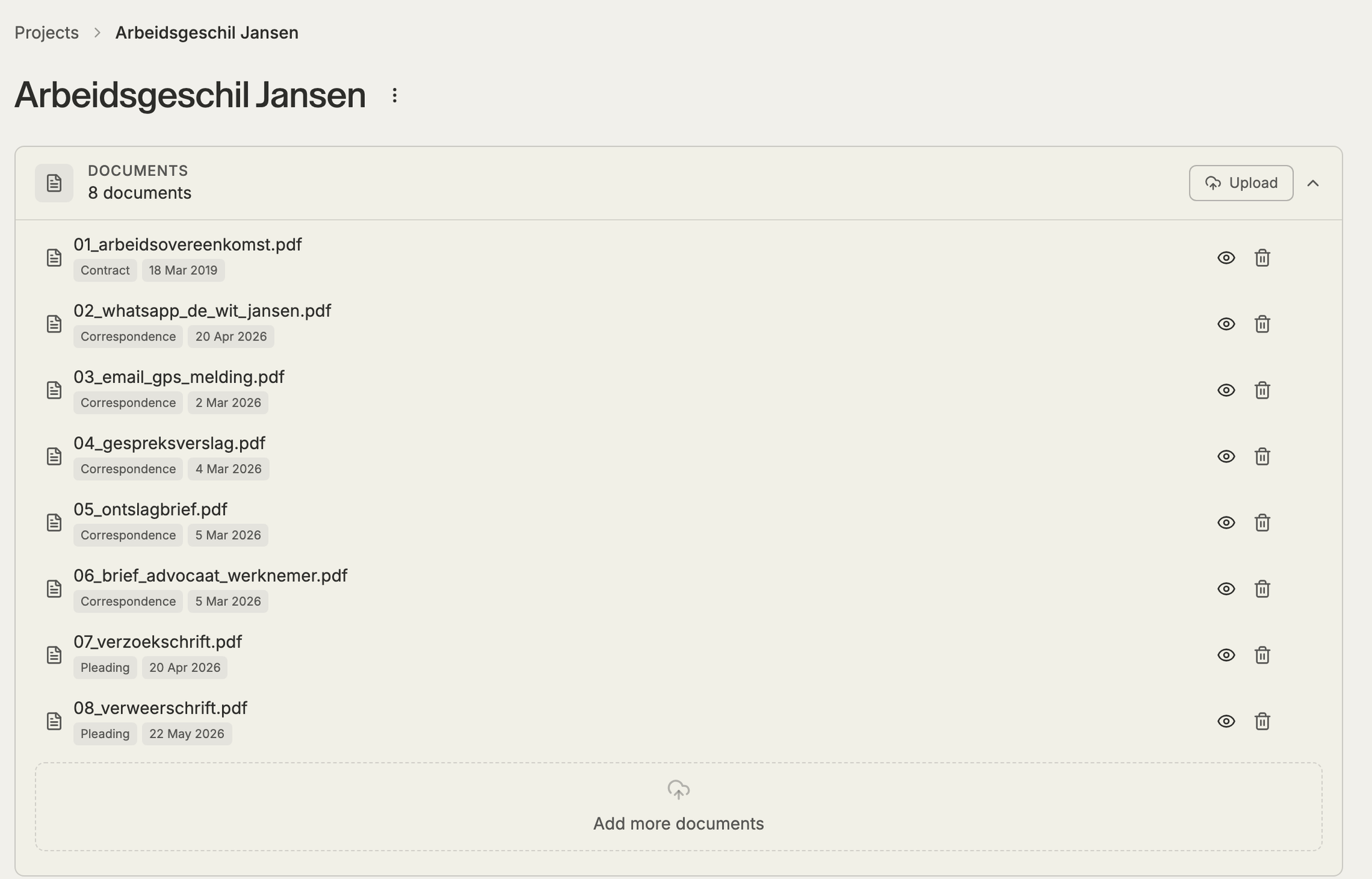
Section titled “While Thea reads”Each document shows Processing document… while Thea reads it, extracts the text (scanned pages are read with OCR) and indexes it. You can leave the page; processing continues. When a document is read, Thea shows its type and date, for example “Contract · 18 Mar 2019”.
A document that couldn’t be read shows Failed. Upload it again, or a better copy.
View a document
Section titled “View a document”Click the eye icon (View document) to read the text Thea extracted, page by page.
Delete documents
Section titled “Delete documents”Click Delete document on a document, or select several and delete them together. Deleting removes the document from the matter for all Mino agents, not only Thea. Only the person who uploaded it, or the owner of the matter, can delete it.
Related
Section titled “Related”- Create an analysis
- Events: each event shows the documents it came from