Check and correct the replacements
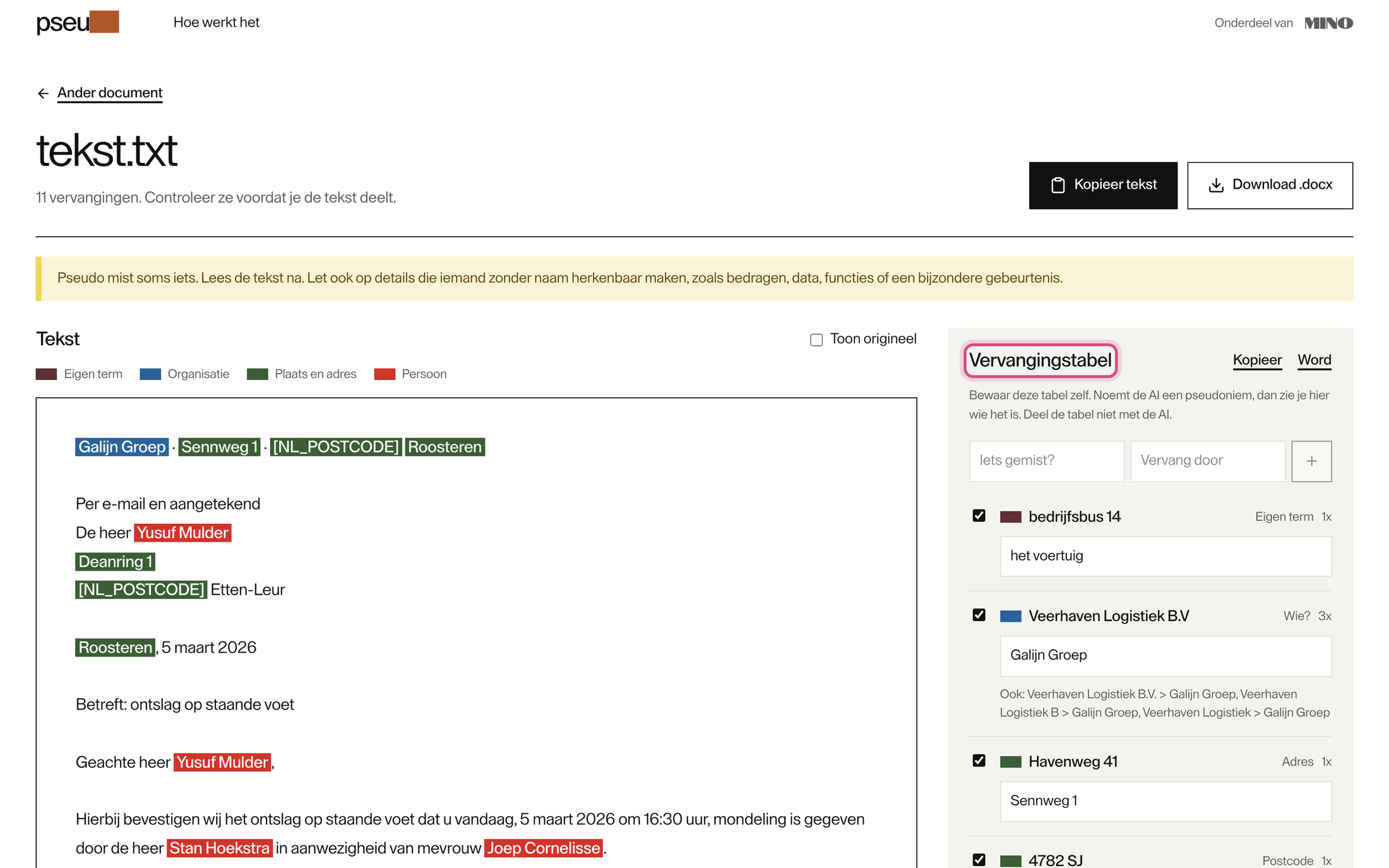
Every replacement is listed in the Vervangingstabel, with its kind (Persoon, Adres, Postcode, IBAN, KvK-nummer and so on) and how often it occurs in the text.
Keep a name as written
Section titled “Keep a name as written”Untick the box in front of a replacement. The original then stays in the text. Use this for names that don’t need hiding, such as a court or a public body.
Choose your own stand-in
Section titled “Choose your own stand-in”Click the stand-in under a name and type another, for example “Werkgever” instead of “Galijn Groep”.
One person gets one stand-in for every way the name is written. The other forms are listed under the name, after Ook:, for example “K. Bakker”. If you type your own stand-in, those other forms keep the stand-in Pseudo chose. Check the text afterwards.
Add something Pseudo missed
Section titled “Add something Pseudo missed”- Type the word or name in Iets gemist?
- Type the replacement in Vervang door. Leave it empty and Pseudo uses “[Weggelaten 1]”.
- Click +.
Pseudo replaces whole words only, and is case-sensitive: “bus 14” does not match “bedrijfsbus 14”. Type the term exactly as it appears in the text.
See the original
Section titled “See the original”Tick Toon origineel to show the real names in the text. This only changes what you see: copying and downloading always give the pseudonymised version. Hover over a highlight to see the other value.
Start over
Section titled “Start over”Ander document takes you back to the start. Your text and the table are cleared, so save the table first.