Pseudonymise a document
Upload or paste
Section titled “Upload or paste”- Go to pseudo.mino.law.
- Drop your document on the page, or click Kies een bestand. Pseudo reads Word (.docx), pdf and text files up to 8 MB.
- Or click of plak tekst, paste the text, and click Pseudonimiseer.

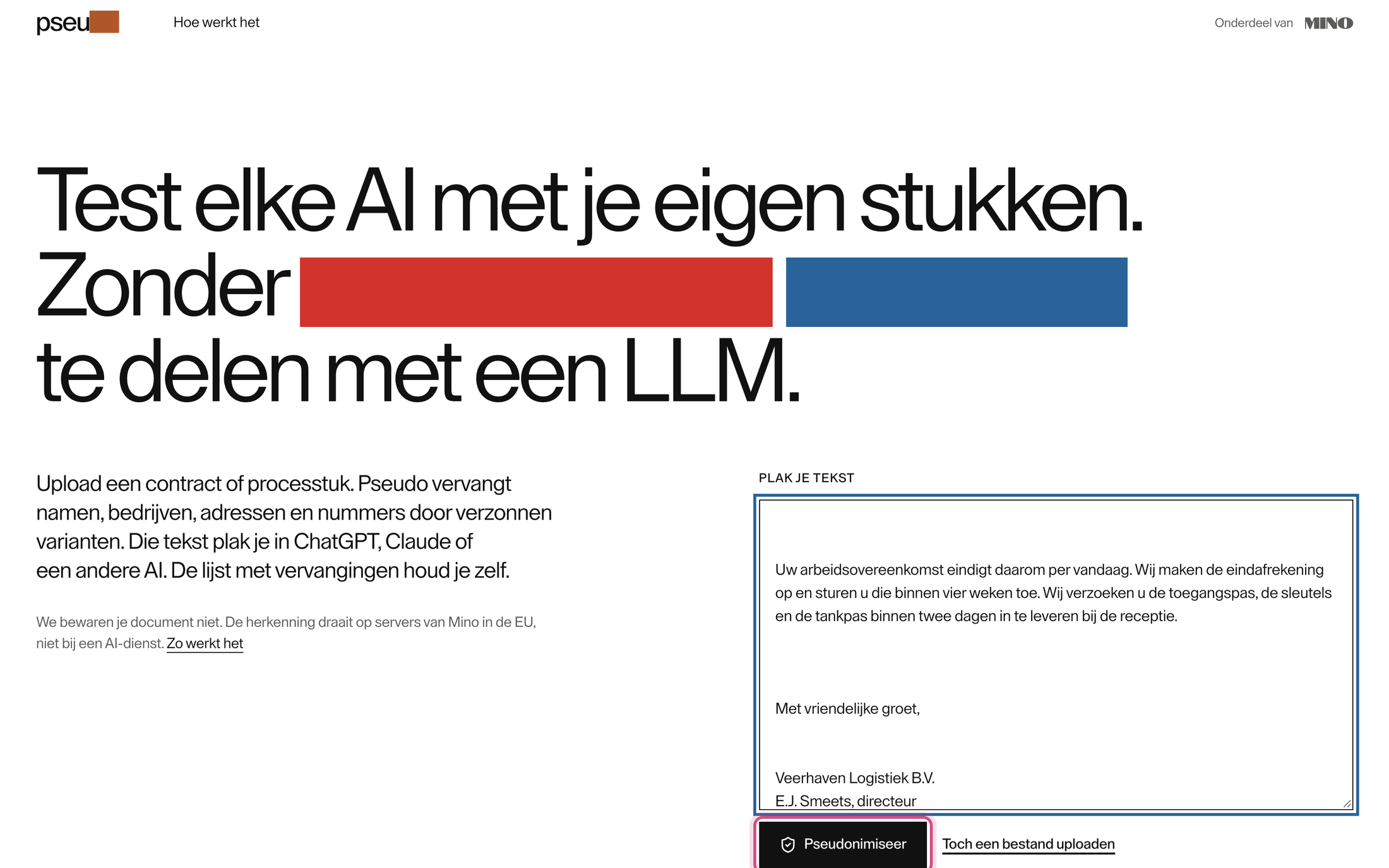
Pseudo looks for names and numbers. A long document can take a minute.
Check the result
Section titled “Check the result”Pseudo shows the text with every replacement highlighted, one colour per kind, and the Vervangingstabel next to it: each name it found and the stand-in it chose. “Veerhaven Logistiek B.V.” becomes “Galijn Groep”, “M. Jansen” becomes “Yusuf Mulder”.
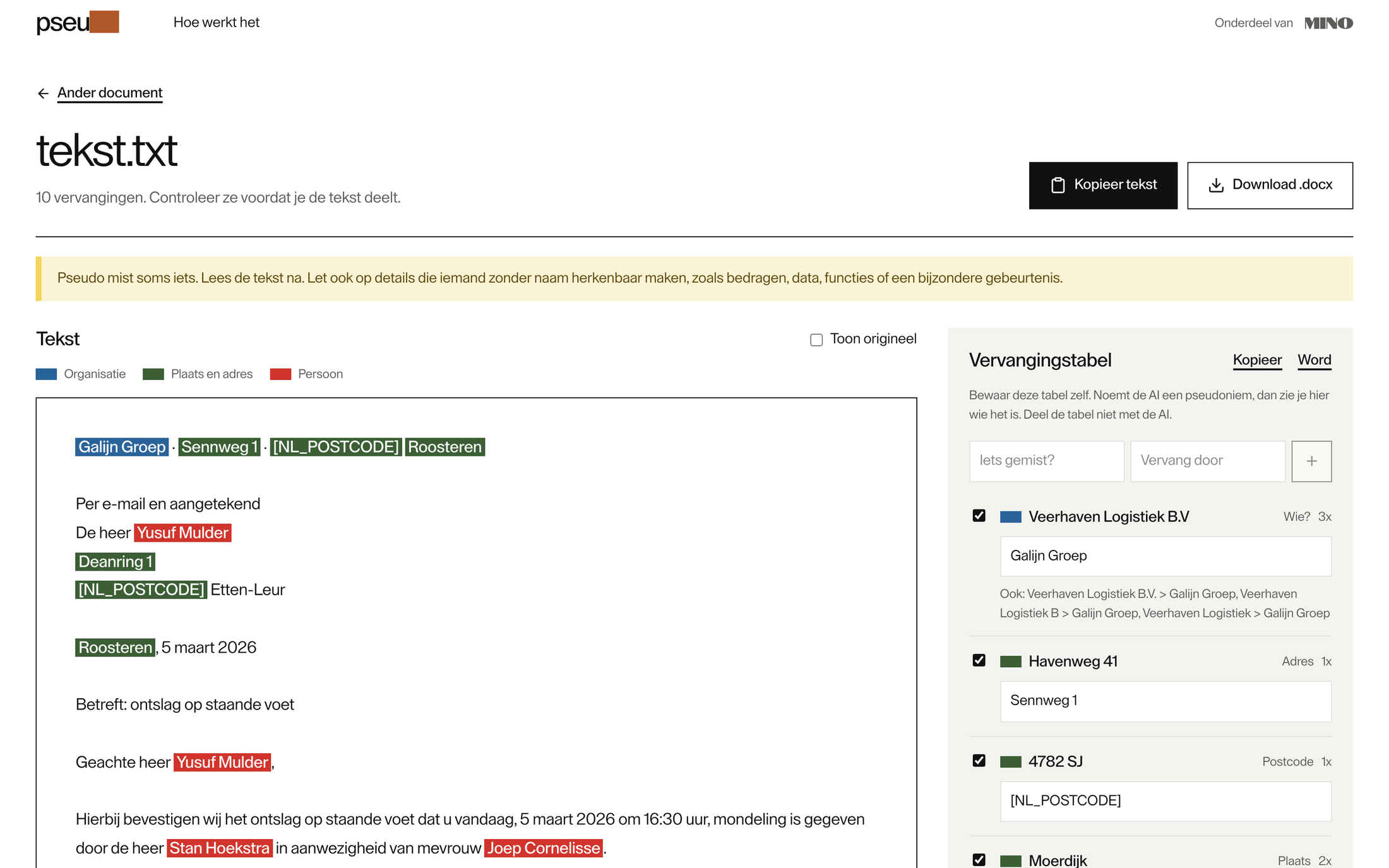
Pseudo sometimes misses something. Read the text before you share it, and look out for details that identify someone without a name: an amount, a date, a job title, an unusual event. To correct the replacements, see Check and correct the replacements.
Use the text
Section titled “Use the text”- Kopieer tekst copies the pseudonymised text, to paste into your AI.
- Download .docx gives you a Word file. A Word document comes back in its own layout; a pdf or pasted text comes back as a plain Word file.
A Word export can still contain identifying information outside the text you reviewed, including headers, comments, tracked changes, images, embedded files and link targets. Before sharing it, check those parts too. If you only need the reviewed text, use Kopieer tekst. See Privacy and limits.
Save the table before you leave the page: see Read the AI’s answer.