Get started with Nina
Set up an alert in a minute. You need a Mino account and to be signed in to Feitlijn.
Follow a topic in one click
Section titled “Follow a topic in one click”On a topic page in Feitlijn (for example, click a topic on a case page), click Volg dit onderwerp. Nina creates an alert for that topic and confirms it.
On a case page, the bell next to the topics sets up an alert for those topics.
Or choose topics yourself
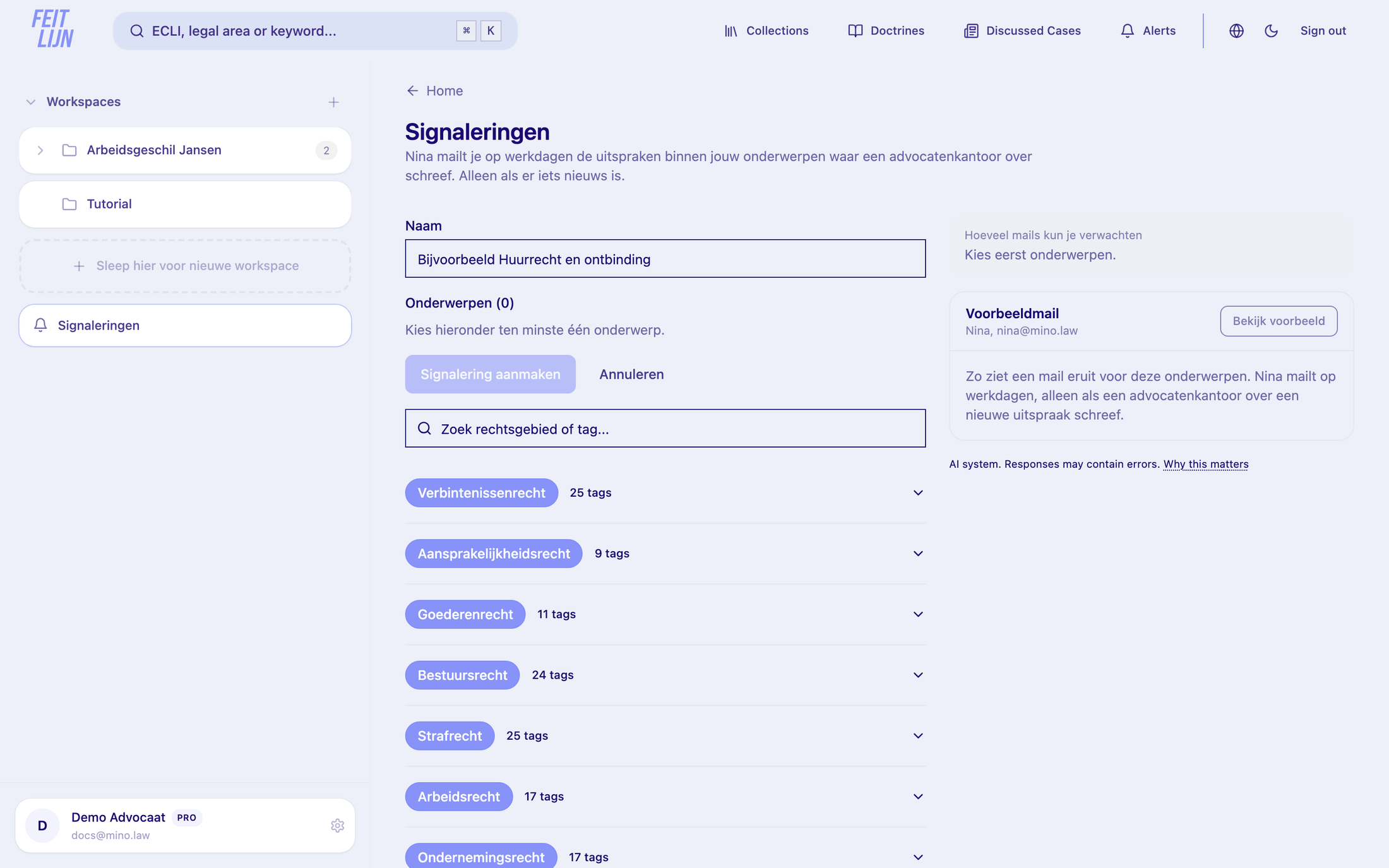
Section titled “Or choose topics yourself”- In Feitlijn, click Alerts (Signaleringen) in the top bar.
- Click Nieuwe signalering.
- Give the alert a name and choose its topics; search for a legal area or topic and click to add it.
- Optionally, click Bekijk voorbeeld under Voorbeeldmail to see what an email would look like, and check Hoeveel mails kun je verwachten.
- Click Signalering aanmaken.
Alerts for a matter
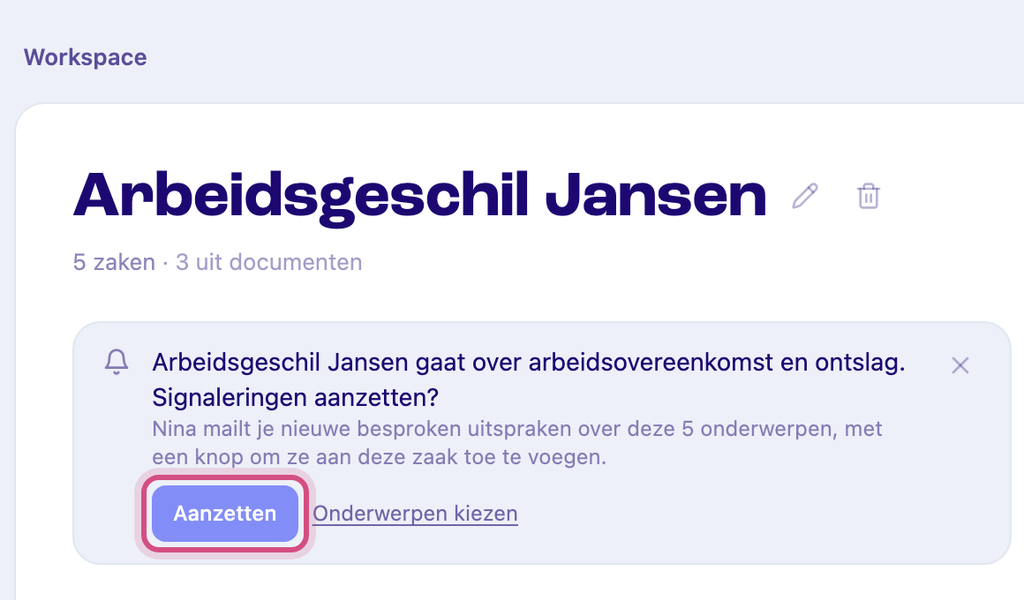
Section titled “Alerts for a matter”When you open a matter’s folder in Feitlijn, Nina may suggest topics based on its documents: ”… gaat over … Signaleringen aanzetten?”. Click Aanzetten to follow them, or Onderwerpen kiezen to pick them yourself.
Your first email
Section titled “Your first email”Nina emails you on the first weekday morning after a law firm writes about a judgment on your topics. See Your alert emails.