Use your Mino matter, Thea and Bill
If you already have documents about the case in Mino, Gordon can read them and use what you’ve mapped in Thea and Bill to show the prospect you understand their case.
Link a matter
Section titled “Link a matter”- When you start a deal, click Link an existing one or Create a new one under “Working from a Mino matter?”.
- Later, click + Matter above the message box and choose a matter, or create one.
Gordon then reads the documents in the matter. To see which, click the matter chip. To add documents, upload them to the matter in the Mino dashboard.
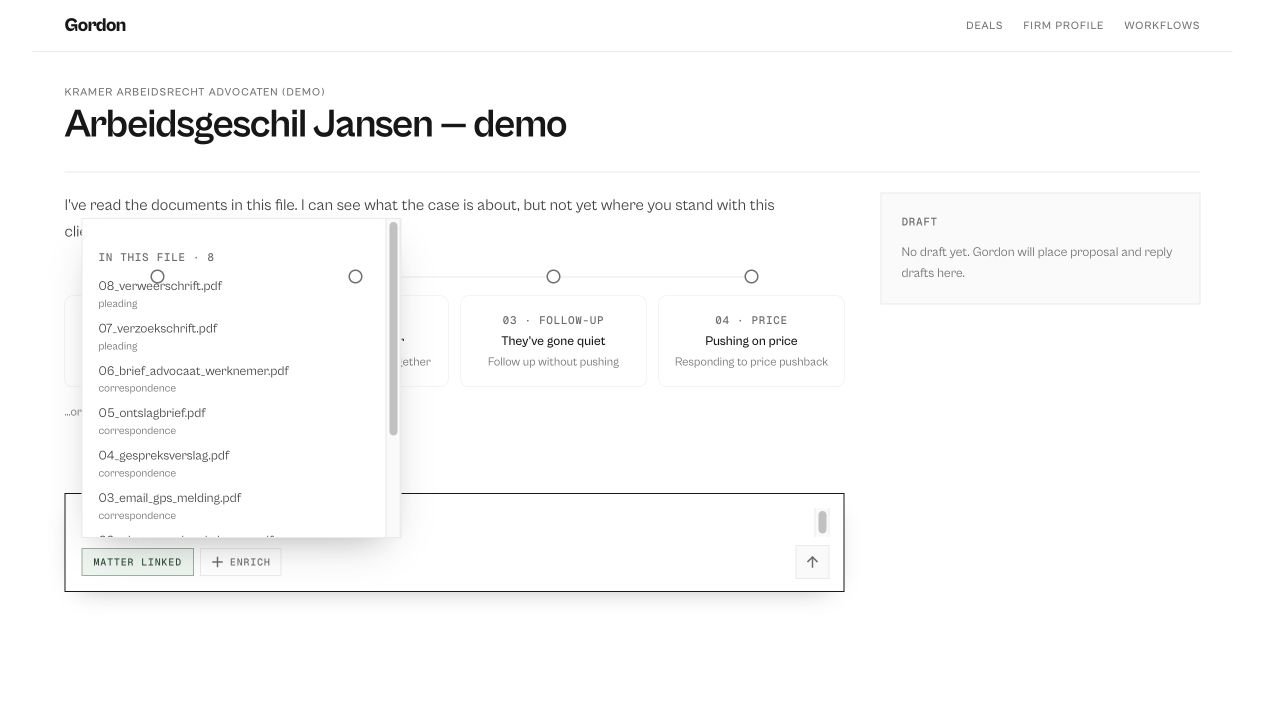
A deal stays linked to the matter you choose.
Add a Thea timeline or Bill signals
Section titled “Add a Thea timeline or Bill signals”Click Enrich above the message box:
- Thea timeline: tick a timeline to include its link in the proposal. A timeline must be shared first; click Create share link, with a password if you like.
- Bill signals: tick legislation that matters for the case and add a line on how Gordon should use it.
What you tick goes along with your next message.
Use your own AI key
Section titled “Use your own AI key”If you’ve added your own AI key in the Mino dashboard (under Settings, Your own AI key), Gordon uses it for everything he writes. If the key stops working, Gordon tells you so; fix or remove it there.