Search case law
Search Feitlijn by keyword to find judgments on a topic, or enter an ECLI to open a judgment directly.
Search by keyword
Section titled “Search by keyword”- Click the search bar at the top of any page, or press ⌘ K (Ctrl K on Windows).
- Type keywords, a party or a legal concept. Dutch legal terms as courts use them work best, for example
ontslag op staande voetorzorgplicht bank. - Press Enter.
With the search box still empty, it lists your Recent searches. Use ↑ ↓ to pick one and Enter to run it; Esc closes the search box.
Go straight to a judgment
Section titled “Go straight to a judgment”Type or paste a full ECLI, such as ECLI:NL:HR:2026:1595, and press Enter. Feitlijn opens the judgment. If it hasn’t analysed that judgment yet, it does so first, which can take a moment. EU case numbers such as C-311/18 work the same way.
Read the results
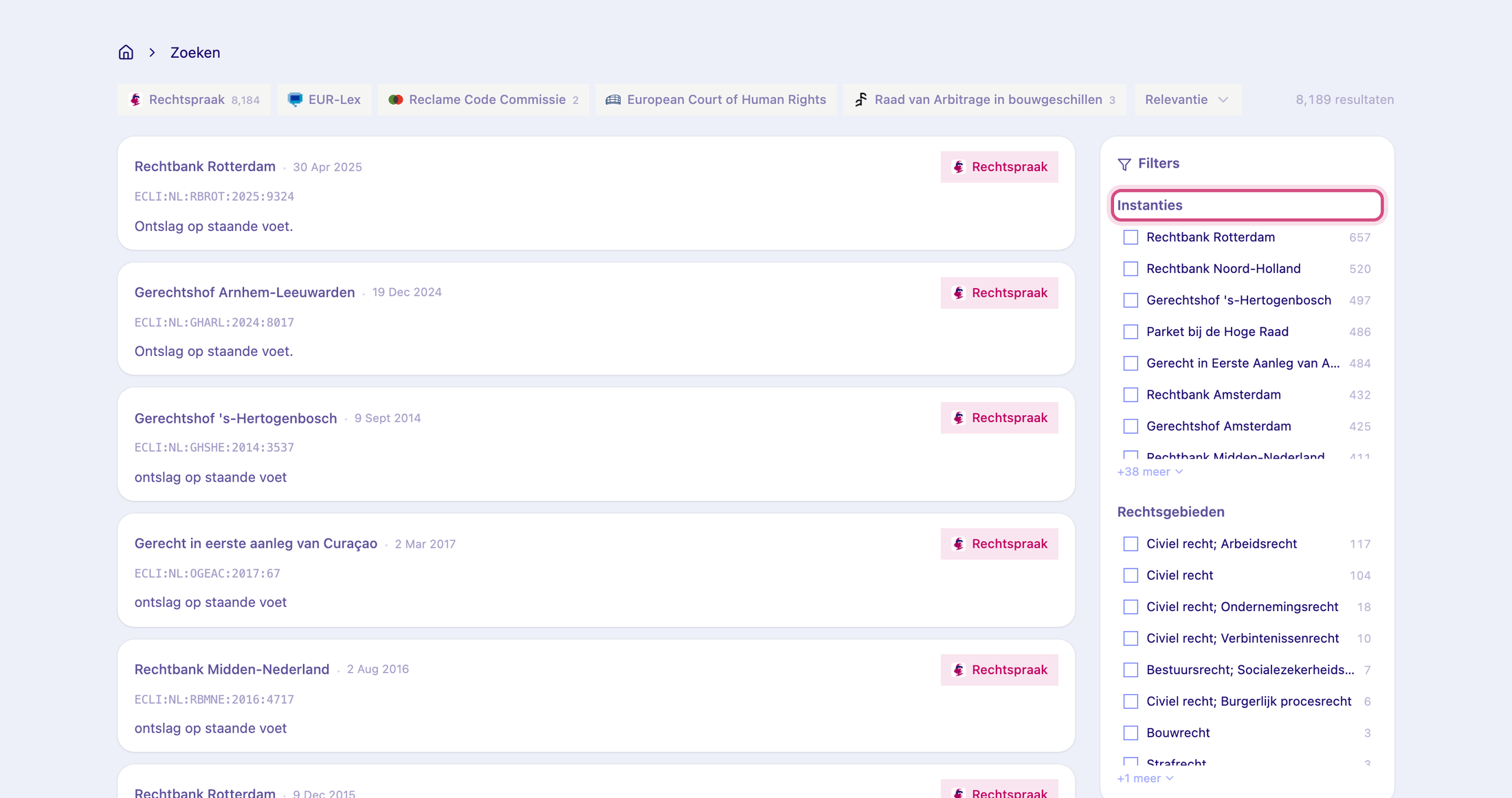
Section titled “Read the results”Each result shows the court, the date and the source (Rechtspraak, EUR-Lex, Reclame Code Commissie, European Court of Human Rights or Raad van Arbitrage in bouwgeschillen), followed by the ECLI, a passage from the judgment and its legal areas and keywords. Click a result to open it.
Results come 20 to a page; use Vorige and Volgende at the bottom to page through.
Narrow the results
Section titled “Narrow the results”- Source: the buttons above the results show how many hits each source has. Click one to show only that source.
- Sort: by Relevantie (default), Nieuwste eerst (newest first) or oldest first.
- Filters: on a wide screen, the Filters panel next to the results lets you tick one or more courts under Instanties and legal areas under Rechtsgebieden. Click Wis filters to start over.
Related
Section titled “Related”- Get started with Feitlijn
- Collections: browse leading judgments per legal area
- Save a judgment to a folder