Set up your firm in Gordon
Gordon writes every proposal from your firm’s profile: who you are, your rates and your team. Set it up once; it takes a few minutes.
Fetch your profile from your website
Section titled “Fetch your profile from your website”- Open Gordon. The first time, you see Set up the firm first.
- Enter your firm’s website, for example
https://yourfirm.nl, and click Fetch profile. - Gordon reads the website and fills in the form. Fields he couldn’t find on the site are marked ■.
No website, or rather type it yourself? Click No website? Fill in the form yourself →.
Check and complete the profile
Section titled “Check and complete the profile”The form has four parts:
- Identity: firm name, location, website and practice areas.
- Introduction: the short text Gordon uses to introduce your firm.
- Rates: hourly rates for partner, senior associate, associate and paralegal.
- Team: the people Gordon can put on a matter, with their role, specialisation, a short bio and experience highlights. Click Add team member for each person.
Only the firm name is required. Click Save at the bottom; you can fill in the rest later. After your first save, Gordon asks you to add your first workflow; see Add workflows.
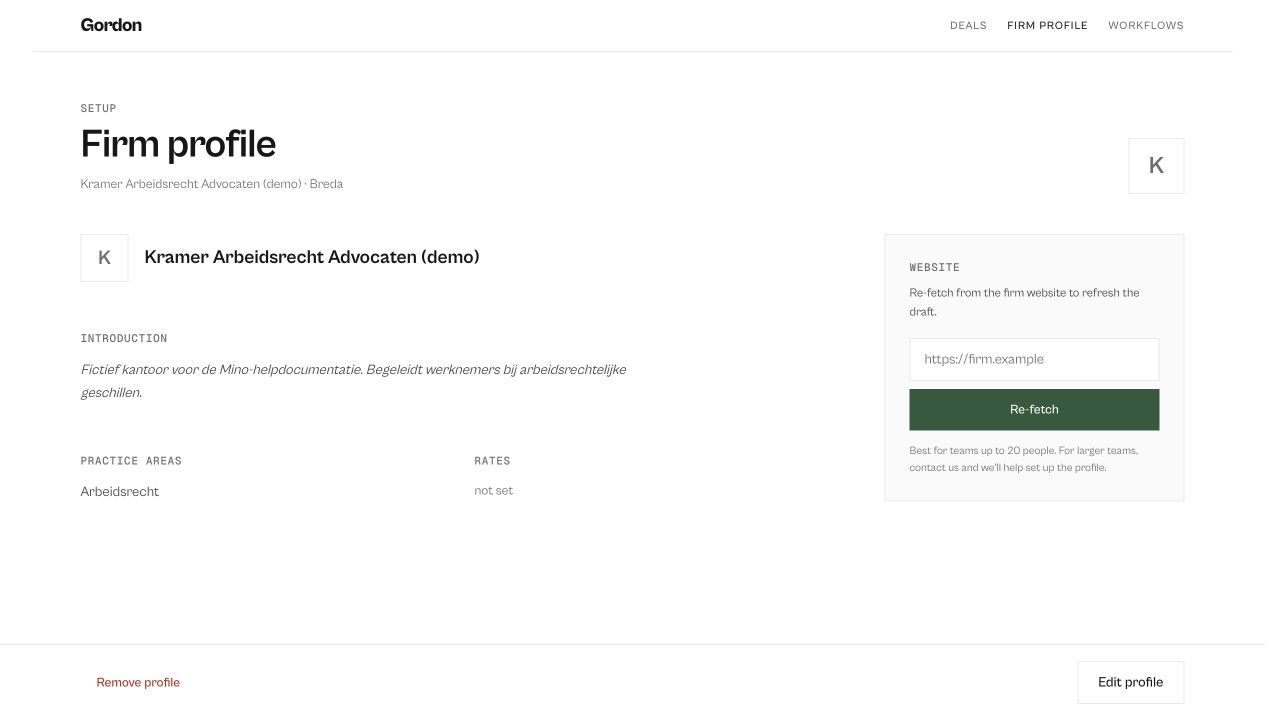
Change the profile later
Section titled “Change the profile later”Click firm profile in the top bar, then Edit profile. Re-fetch reads your website again.