Manage your alerts
All your alerts are in Feitlijn under Signaleringen (in the top bar, and in the sidebar with the number of active alerts).
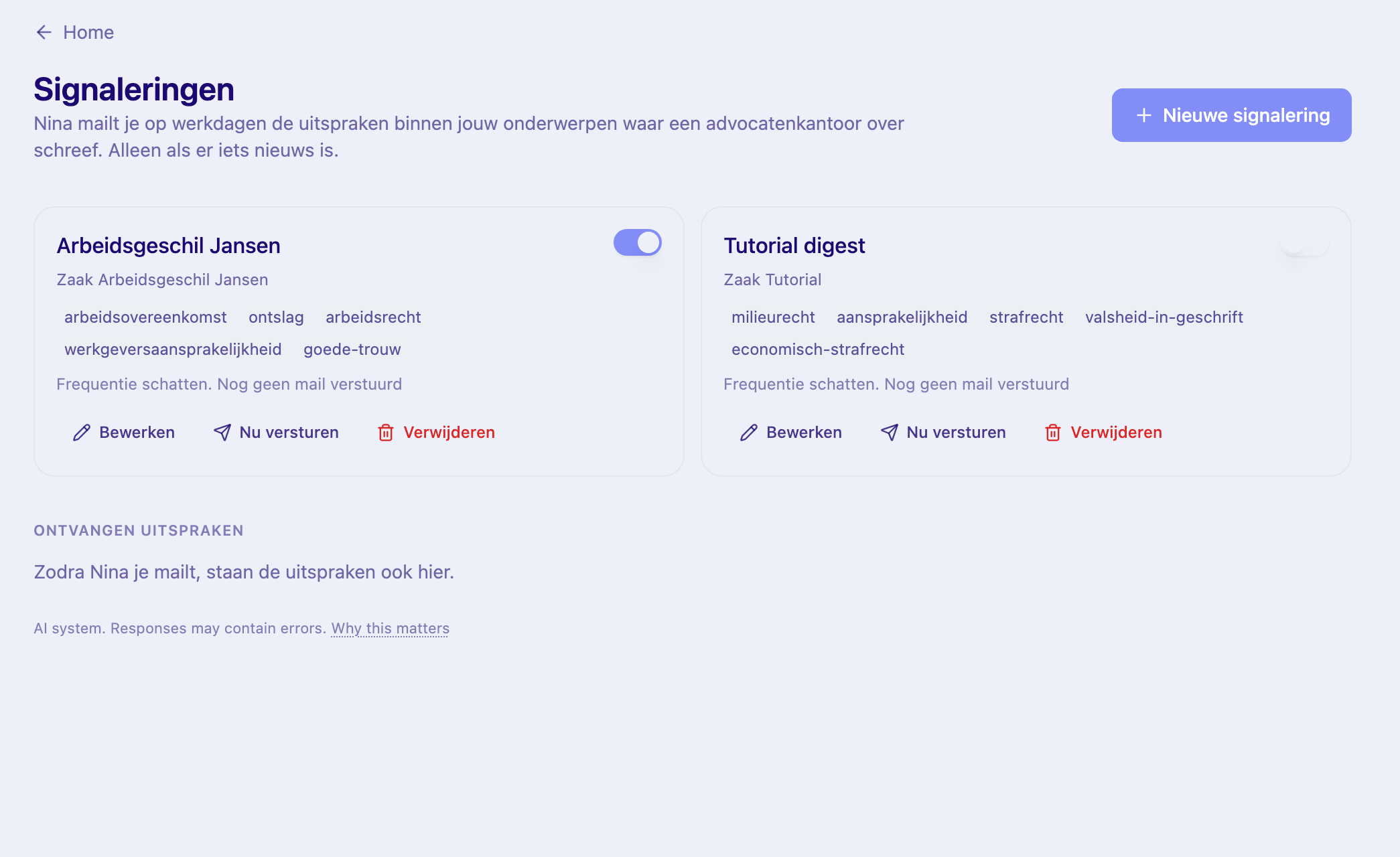
Each alert
Section titled “Each alert”Each alert shows its name and topics, with:
- a switch to pause or resume it;
- Bewerken: change the name or topics, then Opslaan;
- Nu versturen: send the email now (see Your alert emails);
- Verwijderen: delete the alert. The judgments you received stay under Ontvangen uitspraken.
Add one with Nieuwe signalering.
All emails off at once
Section titled “All emails off at once”In your Feitlijn settings, switch off E-mailsignaleringen. Your alerts are kept; switch it on again to resume.
Alerts for a matter
Section titled “Alerts for a matter”An alert can belong to a matter. Nina then suggests topics from the matter’s documents, and its emails let you save a judgment straight to that matter. Set one up from the matter’s folder in Feitlijn (Aanzetten). Each alert is personal, also when it’s tied to a shared matter.
The old Nina app
Section titled “The old Nina app”Alerts set up earlier at nina.mino.law are the same alerts and appear in Signaleringen too.