Choose full context or pseudonymised
Per matter, you choose how names, companies, addresses and ID numbers reach the AI model. Both options run in Mino’s secure EU environment, encrypted, and are never used to train a model.
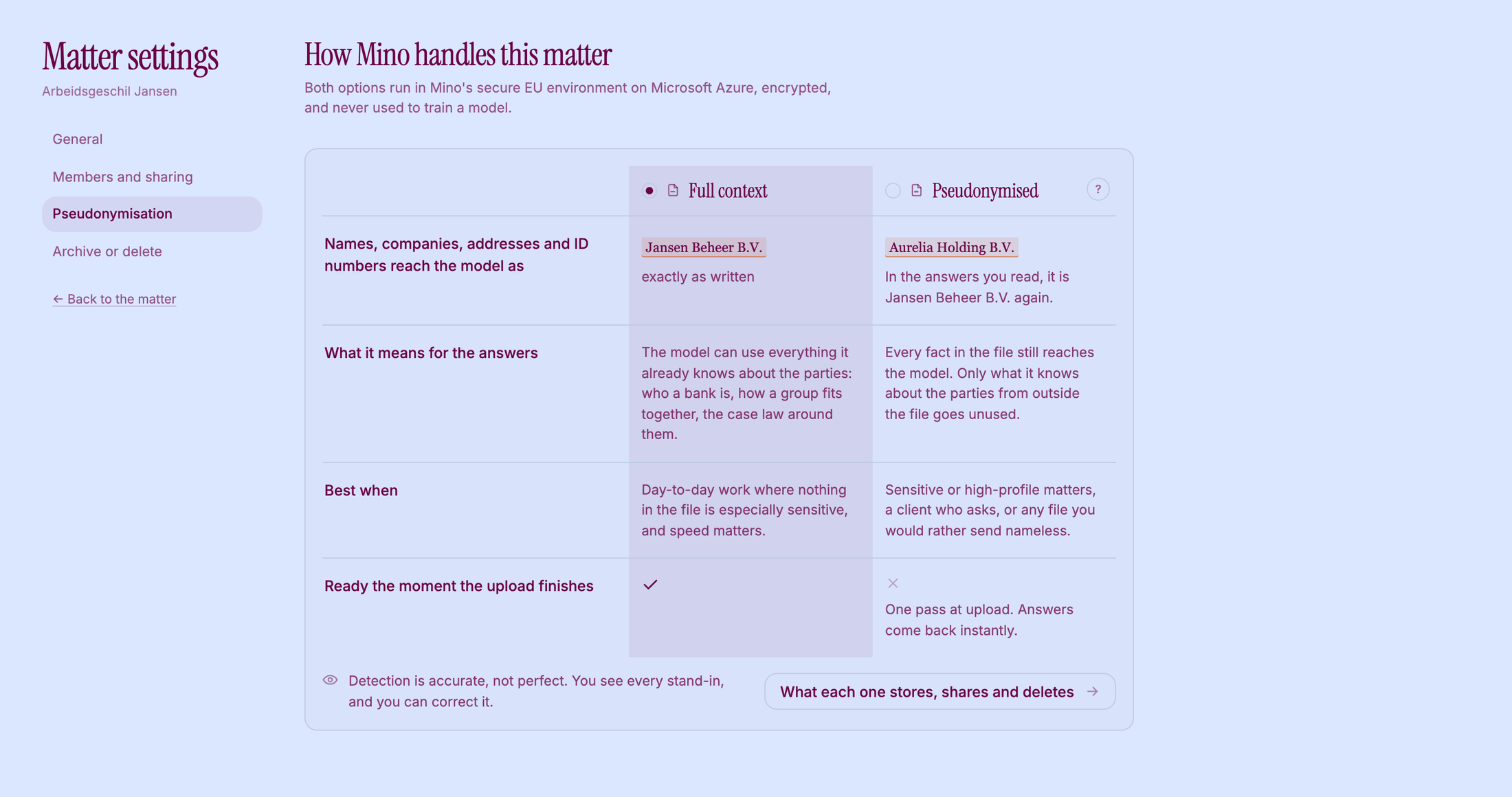
Full context
Section titled “Full context”The documents reach the model as written. The model can use what it already knows about the parties: who a bank is, how a group fits together, the case law around them. Documents are ready the moment the upload finishes.
Best for day-to-day work where nothing in the file is especially sensitive.
Pseudonymised
Section titled “Pseudonymised”Before any AI reads a document, Mino replaces names and identifying details with stand-ins: “Jansen Beheer B.V.” becomes “Aurelia Holding B.V.”. Every fact in the file still reaches the model; only what it knows about the parties from outside the file goes unused. In the answers you read, the real names are back.
Best for sensitive or high-profile matters, a client who asks, or any file you would rather send nameless.
On a pseudonymised matter, Ask Mino is not available. The scratchpad still works.
Choose or change
Section titled “Choose or change”You choose the first time you upload to a matter. To change it later:
- Open the matter and click Matter settings.
- Click Pseudonymisation.
- Click Full context or Pseudonymised. The change applies straight away.
Only the owner of a matter can change this. When you switch to Pseudonymised, new uploads get stand-ins and existing documents are re-processed in the background. When you switch to Full context, documents that were already pseudonymised stay that way.
Check the stand-ins
Section titled “Check the stand-ins”Detection is accurate, not perfect. Open a document with Quick look to see every stand-in next to the Original. Correct one with Edit pseudonyms. Until someone on the matter has checked the stand-ins of a document, the AI does not read it. Mino shows a notice on the document; click These are correct when they are.
Related
Section titled “Related”- Work with the case file
- Connect Claude, ChatGPT or Copilot: real names for connected apps
- Pseudonymisation at Mino: what each option stores, shares and deletes
- Security