Park thoughts in the scratchpad and ask Mino
At the bottom of every matter is a bar with Ask Mino and Scratchpad.
The scratchpad
Section titled “The scratchpad”Side-thoughts that come up while you work on a matter, kept with the matter instead of in a chat that forgets them: a question to check, something to ask the client, a doubt.
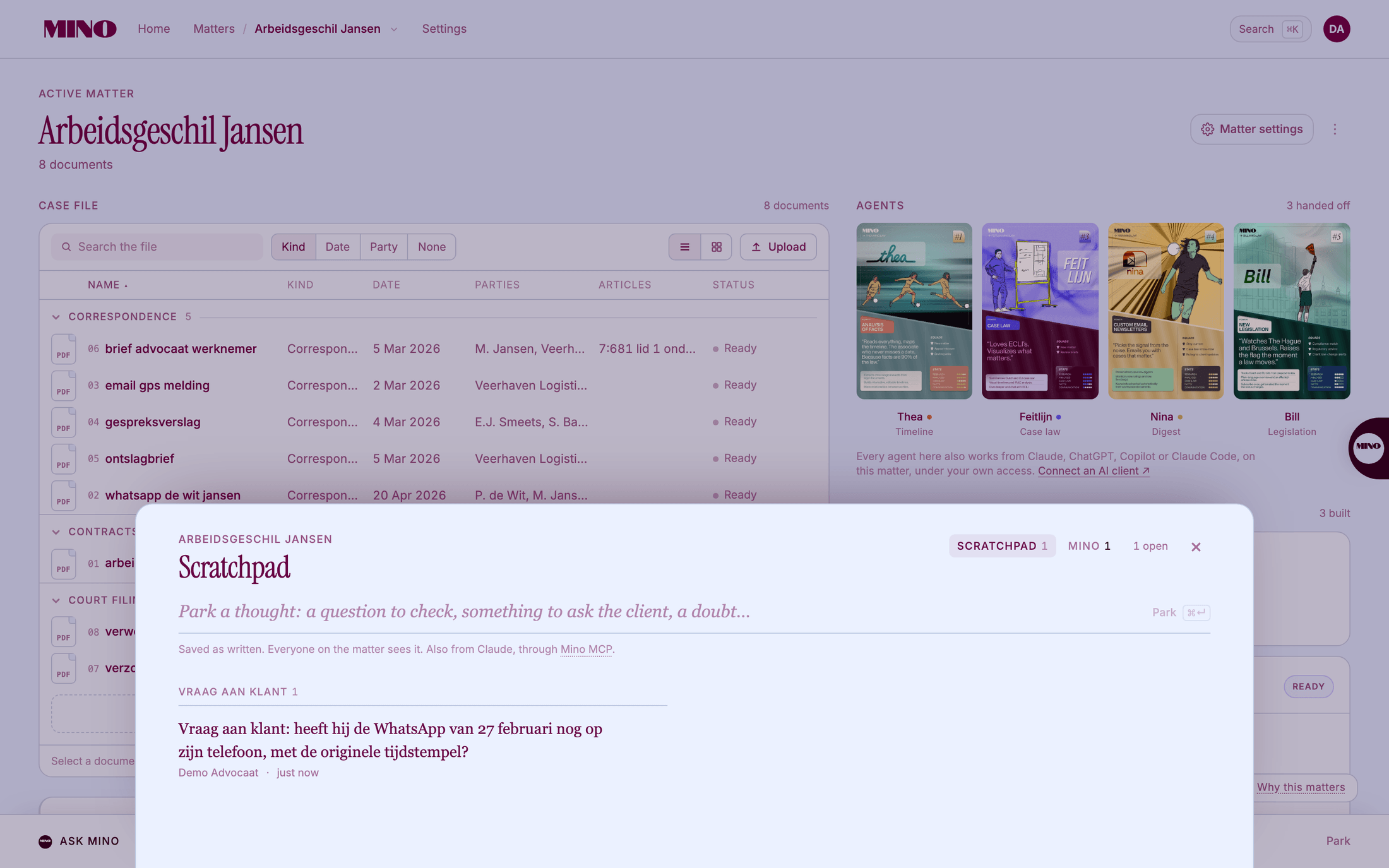
- Click Scratchpad in the bottom bar.
- Type your thought where it says Park a thought.
- Click Park, or press ⌘Enter (Ctrl+Enter on Windows).
Mino saves it as you wrote it and files it under a heading: Vraag (to check), Vraag aan klant (to ask the client), Observatie, Twijfel (a doubt) or Overig.
Everyone on the matter sees the scratchpad. Nothing is ever deleted: when you have the answer, click Resolve, optionally add a Conclusion (what you found, and where), and click Mark resolved. Reopen brings it back.
If Mino suggests a note of its own, it waits under From Mino, waiting for you: click Keep or Decline.
You can also park and read thoughts from Claude, through Mino MCP. See Connect Claude, ChatGPT or Copilot.
Ask Mino
Section titled “Ask Mino”Ask Mino opens a panel where you ask about the matter you are in: “Where were we?”, “What is this matter about?”, or a question about the documents. Mino answers from the case file and shows its Sources. Open it with ⌘J (Ctrl+J on Windows).
Before Mino does something that costs AI processing on your account or changes the matter, it asks: Your decision is needed, with Approve and Decline.
Your conversations with Mino are private to you. Ask Mino is not available on a pseudonymised matter; the scratchpad is.
Ask Mino is being rolled out and may not be on your account yet.