Argument maps
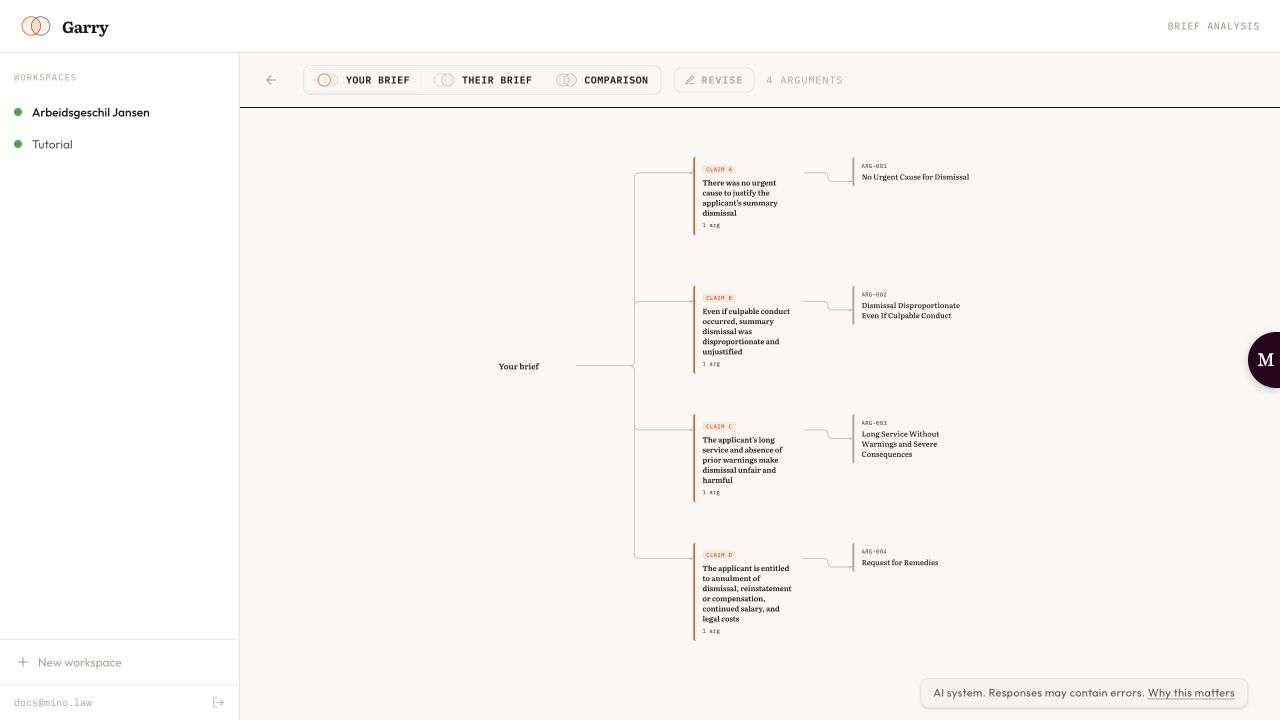
For each brief, Garry builds a map of how it argues: the claims or defences at the top, the arguments for each, and the reasoning, facts and legal authorities they rest on.
Check each step
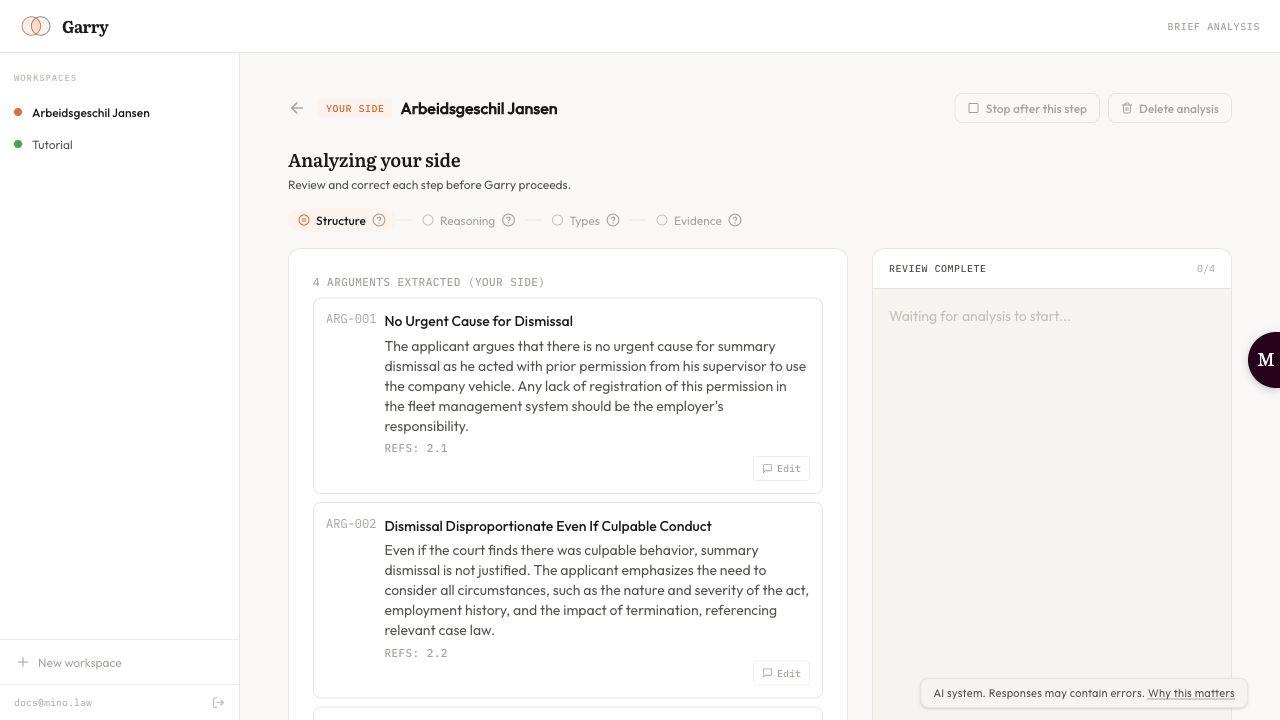
Section titled “Check each step”While Garry reads a brief, it pauses after each step and shows what it found:
- Structure: the claims and the arguments under them;
- Reasoning: for each argument its Reasoning Chain and Key Premises;
- Types: how each argument is classified, such as substantive, evidentiary or damages, and which claims or defences it supports;
- Evidence: the Facts and Legal Authorities each argument relies on.
If something is wrong, type what should change and click Send correction; Garry redoes the step. Corrections on this step shows who corrected what. Click Continue when it’s right.
Read the map
Section titled “Read the map”When the analysis is done, Garry shows each side’s arguments as a map. Switch between Your brief, Their brief and Comparison at the top. Click an argument to open its details: its claims, the disputes with the other side, its gaps and the paragraph references in the brief.
To change an analysis afterwards, click Revise to reopen it, or Rerun on the matter page to start that side again.