Share a matter with colleagues
People you invite to a matter see all its documents and everything the agents made, and can add their own work.
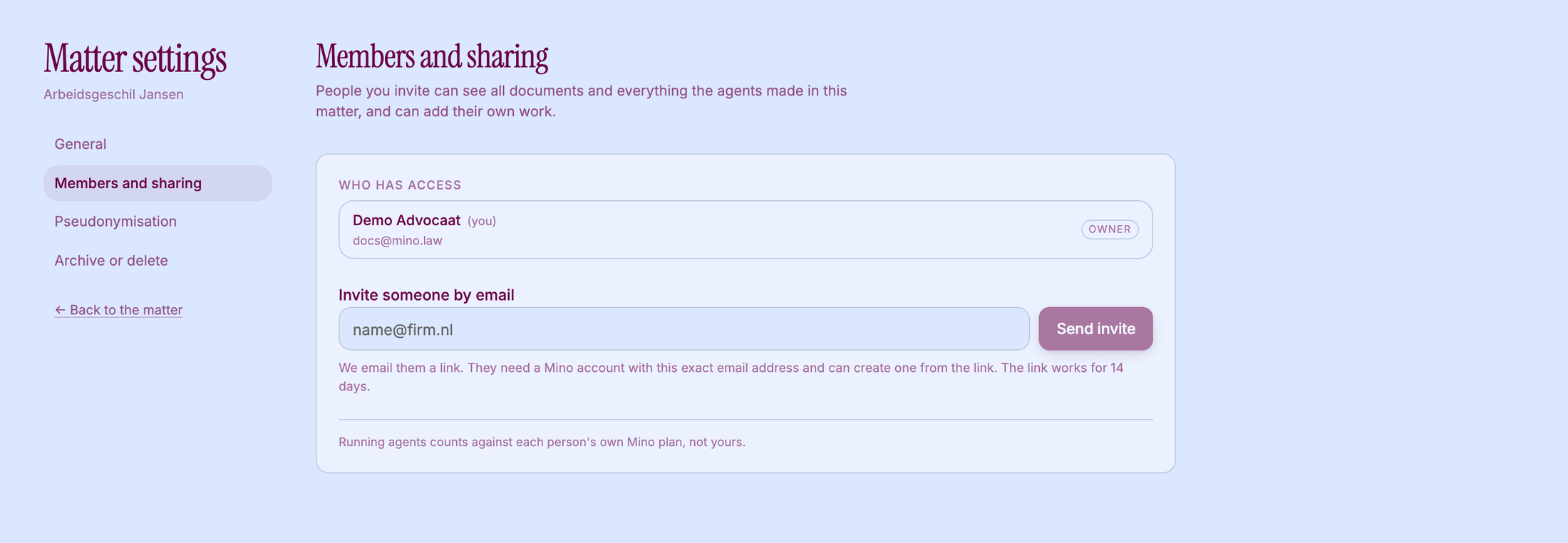
Invite someone
Section titled “Invite someone”- Open the matter and click Matter settings.
- Click Members and sharing.
- Under Invite someone by email, enter their address and click Send invite.
Mino emails them a link. They need a Mino account with that exact email address, and can create one from the link. The link works for 14 days. Until they accept, they’re listed under Pending invitations, where you can Revoke the invitation.
When they open the link, they see Accept and open the matter. The matter then appears on their Home, marked as shared, and the top bar shows who owns it.
A matter has one Owner. Everyone you invite joins as Editor: they can upload documents, use the agents and add their own work.
Only the owner can choose full context or pseudonymised, delete the matter, or hand it over. To hand it over, click Make owner next to an editor: they become the owner and you stay on as an editor. To take someone off the matter, click Remove.
Leave a matter
Section titled “Leave a matter”Click Leave matter under Members and sharing. As the owner you can’t leave: make another editor the owner first.
Who pays for agent work
Section titled “Who pays for agent work”Running agents counts against each person’s own Mino plan, not the owner’s. If a colleague starts a timeline on your matter, it runs on their plan.
What stays private
Section titled “What stays private”Your conversations with Ask Mino are private to you. The matter context and the scratchpad are shared with everyone on the matter.