Create an analysis
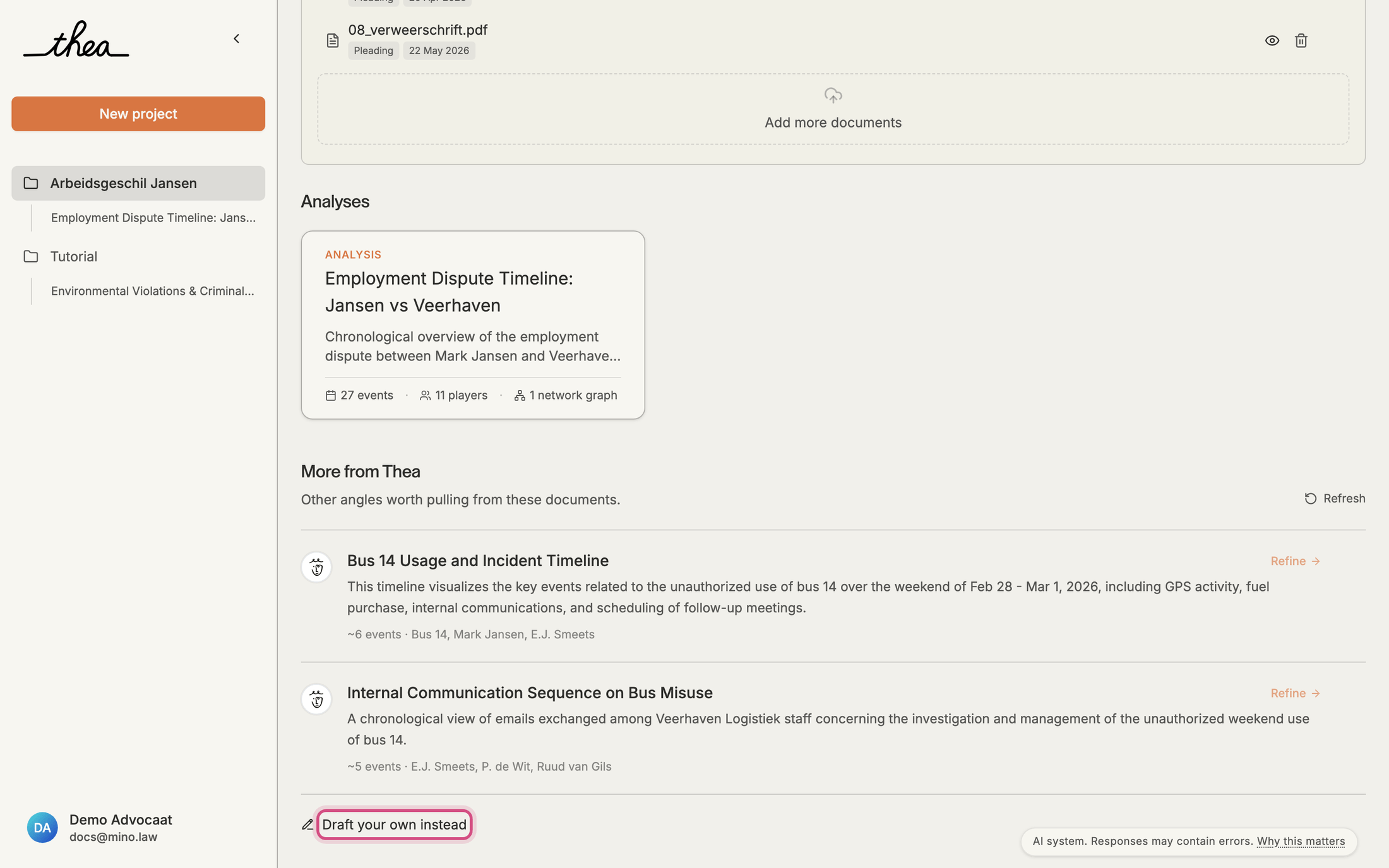
An analysis is a timeline Thea builds from the documents in a project. Start from one of Thea’s suggestions, or describe what you need.
From a suggestion
Section titled “From a suggestion”When the documents are read, Thea’s notes from your case file suggests a few analyses, each with a short description, the expected number of events and the main people involved.
- Click Refine on a suggestion.
- Adjust the Focus, choose the Detail (Key moments, Comprehensive or Everything) and, if you like, a Date range.
- Click Run Analysis.
Refresh asks Thea for new suggestions; the X on a suggestion dismisses it.
From your own instructions
Section titled “From your own instructions”- Click Draft your own instead. The Create Case Analysis panel opens.
- Choose the language for the chat and the analysis: English or Nederlands.
- Tell Thea what you need, for example “Build a full chronology of the dismissal, from the employment contract to the statement of defence, and show where the parties disagree.” Thea may ask a question or two.
- Click Generate Analysis.
While Thea builds it
Section titled “While Thea builds it”Building takes a few minutes. The new analysis appears under Analyses in the project and in the sidebar, with a dot until you open it. Thea creates the events, players, categories and relationships it finds; you can change all of them afterwards.