Data view
The Data tab shows everything in the timeline as tables you can search and edit.
The tables
Section titled “The tables”- Events: date, players, action, description, category, team and exhibits.
- Players: name, role, description, type, side, camp and importance.
- Categories: colour, name, description, number of events, and whether Thea or a person created it.
- Exhibits: number, title, description, document and linked events.
- Relations: player A, relationship, player B.
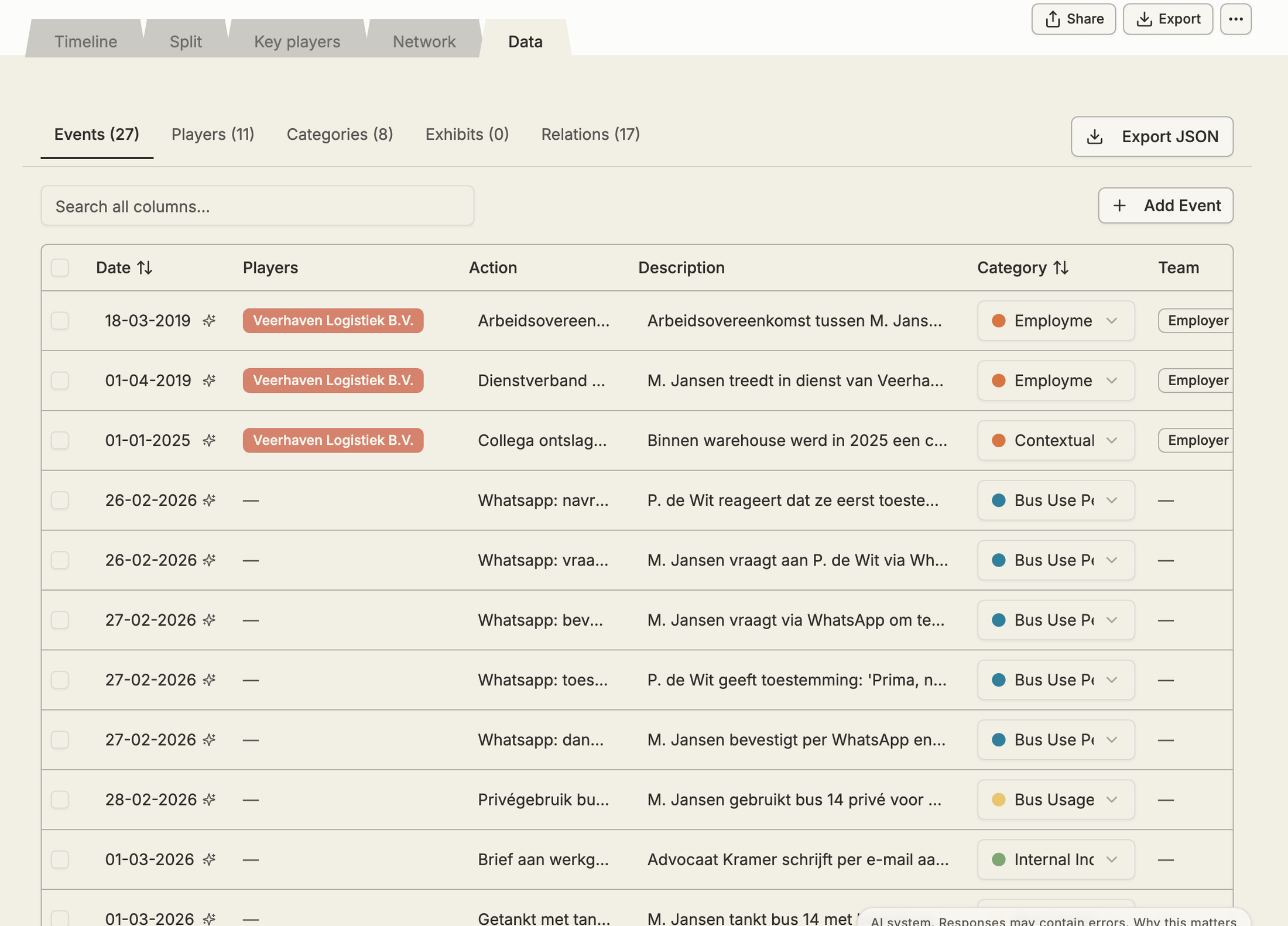
Each table has its own search box and an Add button (Add Event, Add Player and so on). Click a column header to sort.
Click a cell to edit it and press Enter to save, or Esc to cancel. Changes show up straight away in the other views.
In Events, select several rows to give them one category at once with Set category….
Export the data
Section titled “Export the data”Click Export JSON to download the events, players, relationships and categories as a JSON file, for use in other tools.