Review a draft contract with GEO
Try the sample first
Section titled “Try the sample first”On the home page, click Open sample contract. It is a fictional supply and installation agreement between a Dutch supplier and a Nigerian buyer, with a guarantor in Dubai, Dutch law and NAI arbitration in Amsterdam. The sample is a saved analysis: opening it sends nothing to an AI model.
Upload your own
Section titled “Upload your own”- Click Upload a draft.
- Drop your contract or click Choose a file: a pdf with text, Word (.docx) or text file, up to 8 MB.
- Under I advise the, choose Buyer or Supplier, so the questions are framed from your side. Or leave it on Not specified.
- Click Analyse contract.
Reading a contract takes a few minutes. GEO shows each step: finding the countries, checking them, and linking facts to clauses.
Don’t upload a confidential contract: GEO is a public prototype. Pseudonymise it first with Pseudo, or use an agreement you’re allowed to share. See Your data and limits.
Read the findings
Section titled “Read the findings”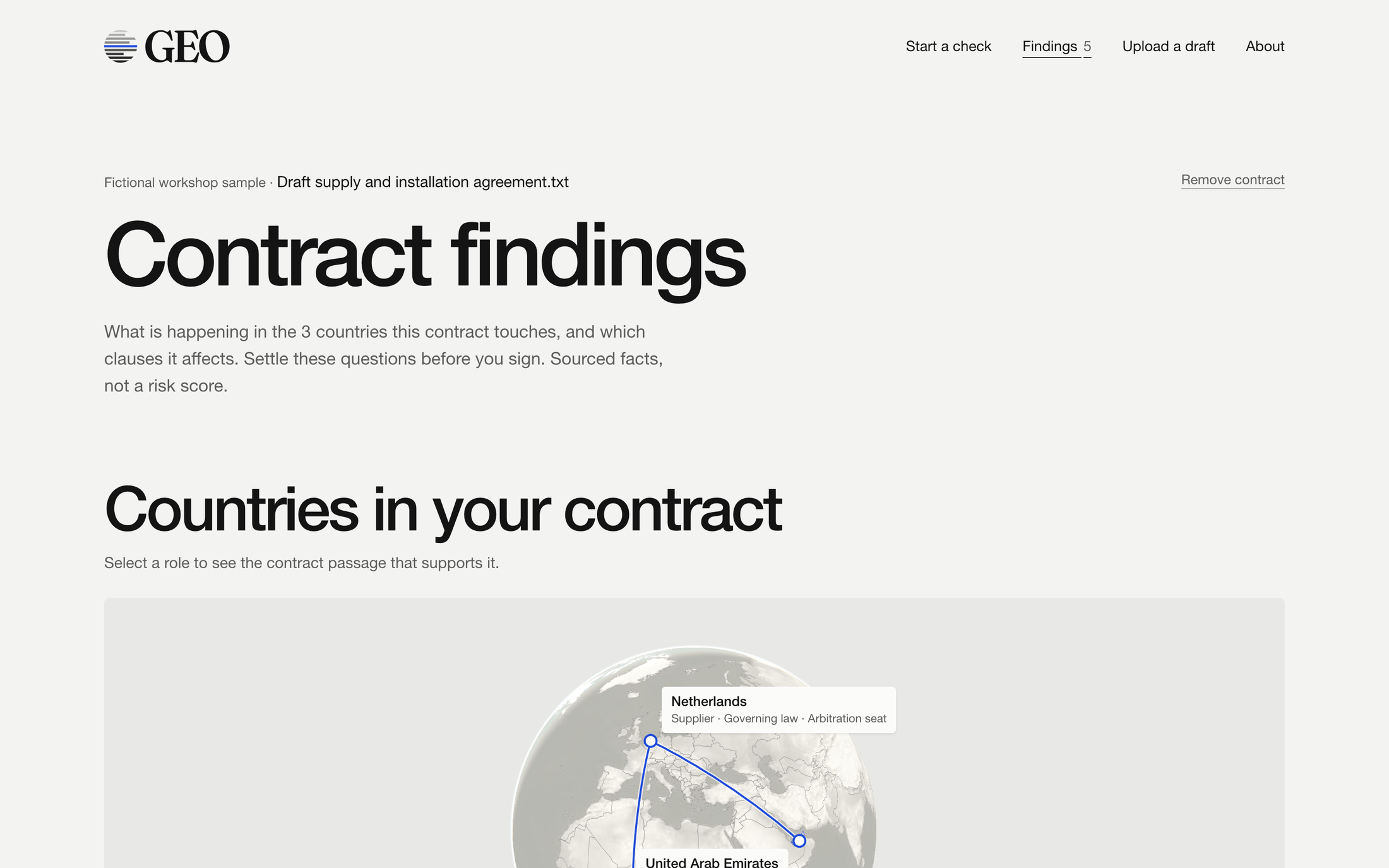
Countries in your contract shows every country and its role. Click a role to see the passage it rests on.
Review questions before you sign lists the findings. Filter them by country. Each finding connects three things:
- Source fact: what a public source says about the country
- Contract passage: the clauses it touches
- Question to raise before signing, with the reasoning below it
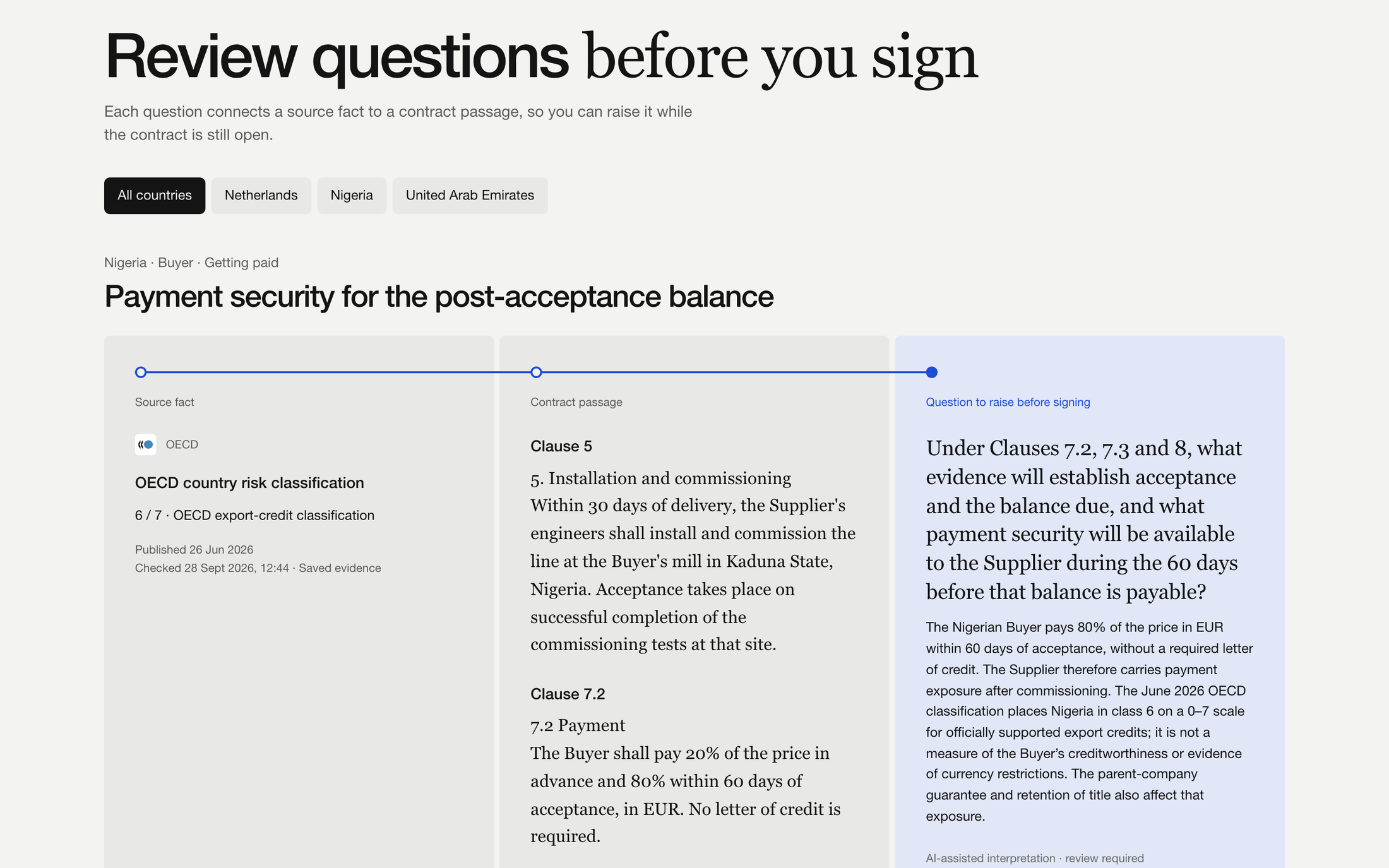
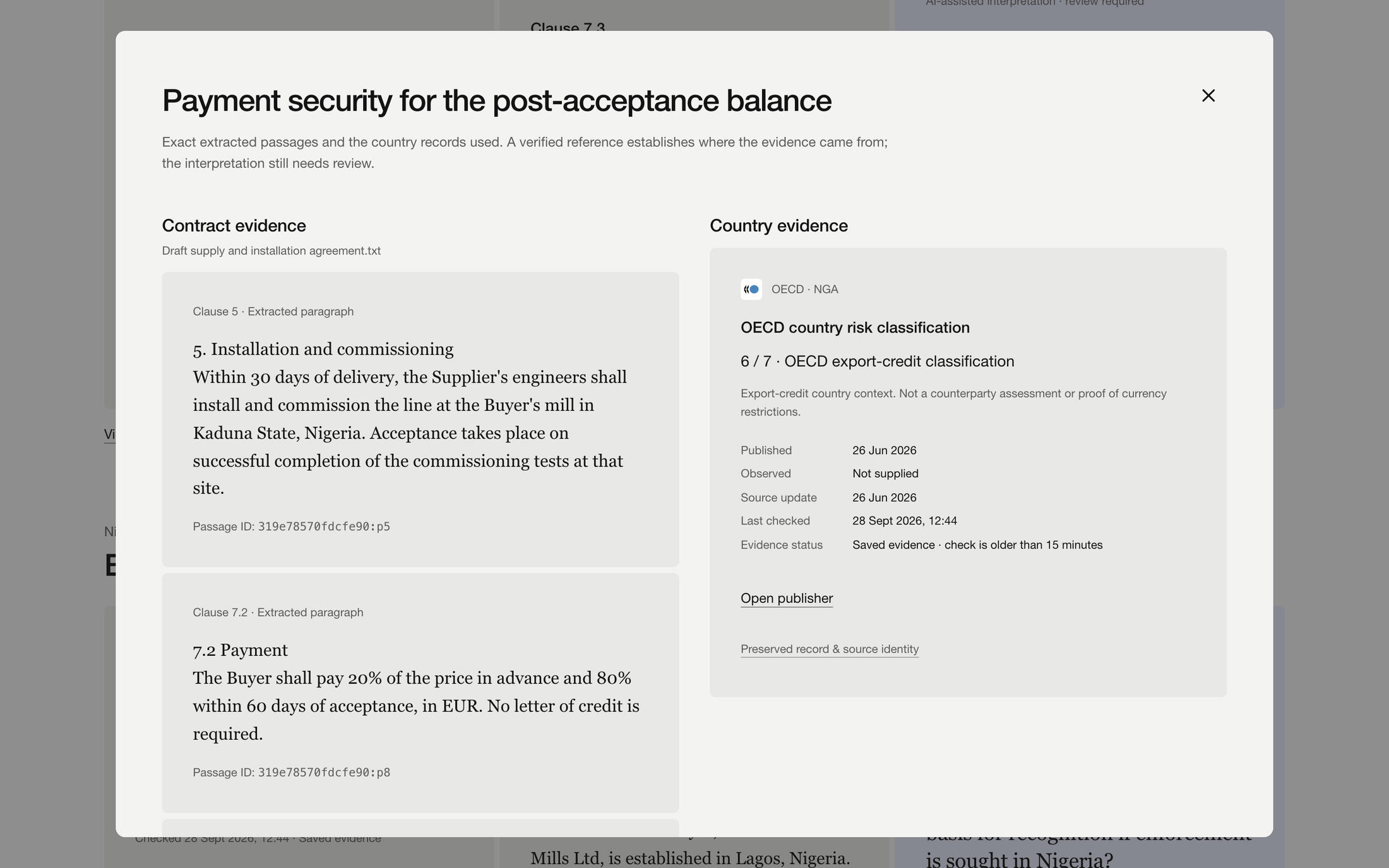
The question is AI-assisted interpretation and needs your review. Click View evidence to see the exact passages and the source record side by side.
Below the findings, EU thematic sanctions regimes lists the regimes that apply in every country, and Open questions lists what GEO could not settle from the contract.